
Top 5 AI Video Generation Models in 2026: Full Review & Comparison
AI video creation has moved well beyond silent, short experiments. The leading AI video generation models can now create synchronized dialogue and sound effects, preserve characters across multiple shots, follow detailed camera directions, and turn reference images into polished video.
Google Veo 3.1 excels at cinematic realism and environmental detail. Seedance 2.5 is designed for longer storytelling. Kling Video 3.0 gives creators unusually precise control over characters and shots. Wan 3.0 combines longer output with competitive usage pricing, while Vidu Q3 Pro is built for dialogue, animation and short series.
(Top 5 AI Video Generation Models in 2026 Compared)
This guide compares those five model families by output quality, scene consistency, speed, accessibility, service tiers and cost per generated second. It also explains which model fits each type of video and why using more than one model can be more practical than searching for a single universal winner.
The Best AI Video Generation Models in 2026
| Model (Latest version reviewed) | Origin | Max Duration | Resolution | Video Quality | Scene Consistency |
|---|---|---|---|---|---|
| Google Veo 3.1 | 8 seconds | 720p, 1080p, up to 4K | Excellent | Excellent | |
| Seedance 2.5 | ByteDance | 30 seconds, with extensions | Up to 1080p | Excellent | Excellent, especially with references |
| Kling Video 3.0 Pro | Kuaishou | 15 seconds | Up to 1080p | Excellent | Excellent for characters, objects and multi-shot stories |
| Wan 3.0 / Prime | Alibaba | 30 seconds | 480p, 720p, 1080p | Very Good to Excellent | Very Good |
| Vidu Q3 Pro | ShengShu Technology | 16 seconds | 540p, 720p, 1080p | Very Good | Very Good, especially for short narratives |
Model versions, availability and pricing were last checked on September 17, 2026. Prices can change by region, resolution, audio setting and access provider, so check the current provider page before planning a production budget.
1. Google Veo 3.1: Best for Cinematic Realism and Synced Audio
Google Veo 3.1 is the strongest choice in this group when a short clip needs to feel convincingly filmed. It performs particularly well with natural light, weather, water, wind, depth, surface texture and large environments. These strengths make it a good fit for cinematic establishing shots, destination videos and premium advertising.
Veo 3.1 supports text-to-video, image-to-video and video extension. It can preserve the appearance of a character, product or setting, while first-and-last-frame controls make transitions easier to direct. Native audio of a video is included, allowing a single generation to contain dialogue, ambience and sound effects.
(Google Veo 3.1)
Its main constraint is length. Veo generally produces clips that last four, six or eight seconds. This makes it an excellent choice for short shots, but less practical for creating a complete story of 20 or 30 seconds in a single generation.
Pros and Cons
- Excellent realism, lighting and environmental depth
- Generated video with native accompanying audio
- Supports reference images, extensions and high resolution
- Good prompt adherence and realistic physical behavior
- Standard service is expensive for repeated iteration
- Maximum one generation duration is eight seconds
- Longer stories require multiple clips and editing
- Precise results may still take several generations
Tiers and Pricing
| Tier/service | 720p | 1080p | 4K |
|---|---|---|---|
| Veo 3.1 Lite | $0.05/sec | $0.08/sec | Not supported |
| Veo 3.1 Fast | $0.10/sec | $0.12/sec | $0.30/sec |
| Veo 3.1 Standard | $0.40/sec | $0.40/sec | $0.60/sec |
The Gemini Developer API currently has no free Veo tier. Consumer access and trials through Google products can vary. Check the latest Gemini API pricing before estimating volume costs.
Best Video Types and Use Cases
- Premium brand films and high-end product advertising
- Projects that need synchronized dialogue, ambience, music or sound effects
- Realistic scenic shots, including travel, landscapes and city environments
- Scenes with complex motion, such as flowing water, moving fabric or changing weather
- Short vertical ads and YouTube Shorts that need a polished cinematic look
2. Seedance 2.5: Best for Long-Form Storytelling
Seedance 2.5 is designed for creators who need more than a single visual moment. It can generate up to 30 seconds in one pass and extend them further, making it better suited to complete narrative beats, performances and stories with multiple shots.
Seedance 2.0 was one of the defining video releases of early 2026. It introduced a unified workflow for text, images, video and audio. Seedance 2.5 builds on that foundation with support for up to 30 images, 10 video clips and 10 audio clips, as well as more precise editing and stronger continuity across longer videos.
Those inputs can guide characters, props, locations, movement, camera language, sound and visual style. Seedance is therefore useful when a project already has storyboards, character sheets, reference footage or music that the final video needs to follow.
(Seedance 2.5)
The model also supports edits at specific points in a clip, camera angle control, green screen workflows and reference-based editing. The extra control can require more preparation, since creators need to organize several assets and understand its token-based pricing system.
Pros and Cons
- Generates up to 30 seconds with extension support
- Accepts a large collection of references
- Long-form continuity and narrative control supported
- Advanced editing, blocking and camera controls
- Premium quality is relatively expensive
- Token pricing is harder to predict than a flat rate
- Access and rollout can vary by region and platform
- Complex multi-subject interactions can still produce artifacts
Tiers and Pricing
| Tier/service | 480p | 720p | 1080p | 4K |
|---|---|---|---|---|
| Seedance 2.0 Mini | About $0.04/sec | About $0.08/sec | Not supported | Not supported |
| Seedance 2.0 Fast | About $0.06/sec | About $0.12/sec | Not supported | Not supported |
| Seedance 2.0 | About $0.07/sec | About $0.15/sec | About $0.37/sec | About $0.78/sec |
| Seedance 2.5 | Estimated $0.10/sec | Estimated $0.23/sec | Estimated $0.52/sec | Service-dependent |
Seedance 2.5 uses token pricing strategy rather than one universal per-second rate. The estimates apply the published token rate and calculation formula to common 16:9, 24 fps output. Adding a reference video changes token consumption because its duration is also billed.
Best Video Types and Use Cases
- Narrative projects that need videos of 15 to 30 seconds
- Stories with multiple characters, locations and scene changes
- Music performances, dance sequences and action scenes
- Brand films built from storyboards, character sheets and reference assets
- Film, advertising and educational previsualization
- Projects that need targeted edits after the first generation
3. Kling Video 3.0 Pro: Best for Directed Multi-Shot Stories
Kling Video 3.0 focuses on directed storytelling. It lets creators define shot size, perspective, duration, narrative content and camera movement instead of asking one prompt to control every decision.
The 3.0 family accepts text, images, audio and video references. It is good at preserving characters, objects and locations through multiple cuts. Native audio covers dialogue, ambience and effects in multiple languages, with control over accents and speaking order.
(Kling Video 3.0 Pro)
Kling is also notable for retaining visible text and branded details in motion. No video model guarantees perfect typography, but this makes Kling a sensible candidate when product packaging, signs, apparel or logos must remain recognizable.
Pros and Cons
- Strong shot planning and control
- Usually keeps characters, products and voices more consistent across cuts
- Create dialogue in several languages
- Handles packaging, signs and other visible text better
- Works best when you prepare references and shot ideas in advance
- Audio and premium resolution increase usage cost
- Consumer credits and API pricing can be confusing
- For rough tests, a Fast or Turbo model may cost less and return results sooner
Tiers and Pricing
| Tier/service | 720p | 1080p | 4K |
|---|---|---|---|
| Kling Video 3.0 — no native audio | 6 credits/sec | 8 credits/sec | Separate premium tier |
| Kling Video 3.0 — native audio | 9 credits/sec | 12 credits/sec | Separate premium tier |
| Kling Video 3.0 — voice control | Add 2 credits/sec | Add 2 credits/sec | Provider dependent |
| Kling Video 3.0 Pro API reference | About $0.084–$0.126/sec | About $0.112–$0.168/sec | About $0.42/sec on some APIs |
Dollar rates vary because Kling’s consumer credits, direct developer units and third-party API prices are different billing systems.
Best Video Types and Use Cases
- Short films and ads built around a character or simple storyline
- Dialogue scenes with two or more people
- Product videos with packaging, signs or visible brand elements
- Stories with planned camera angles and shot changes
- Series with recurring characters that need a consistent look and voice
- E-commerce, fashion and branded social content
4. Wan 3.0 and Wan 3.0 Prime: Best for Flexible, Longer and Cost-Effective Production
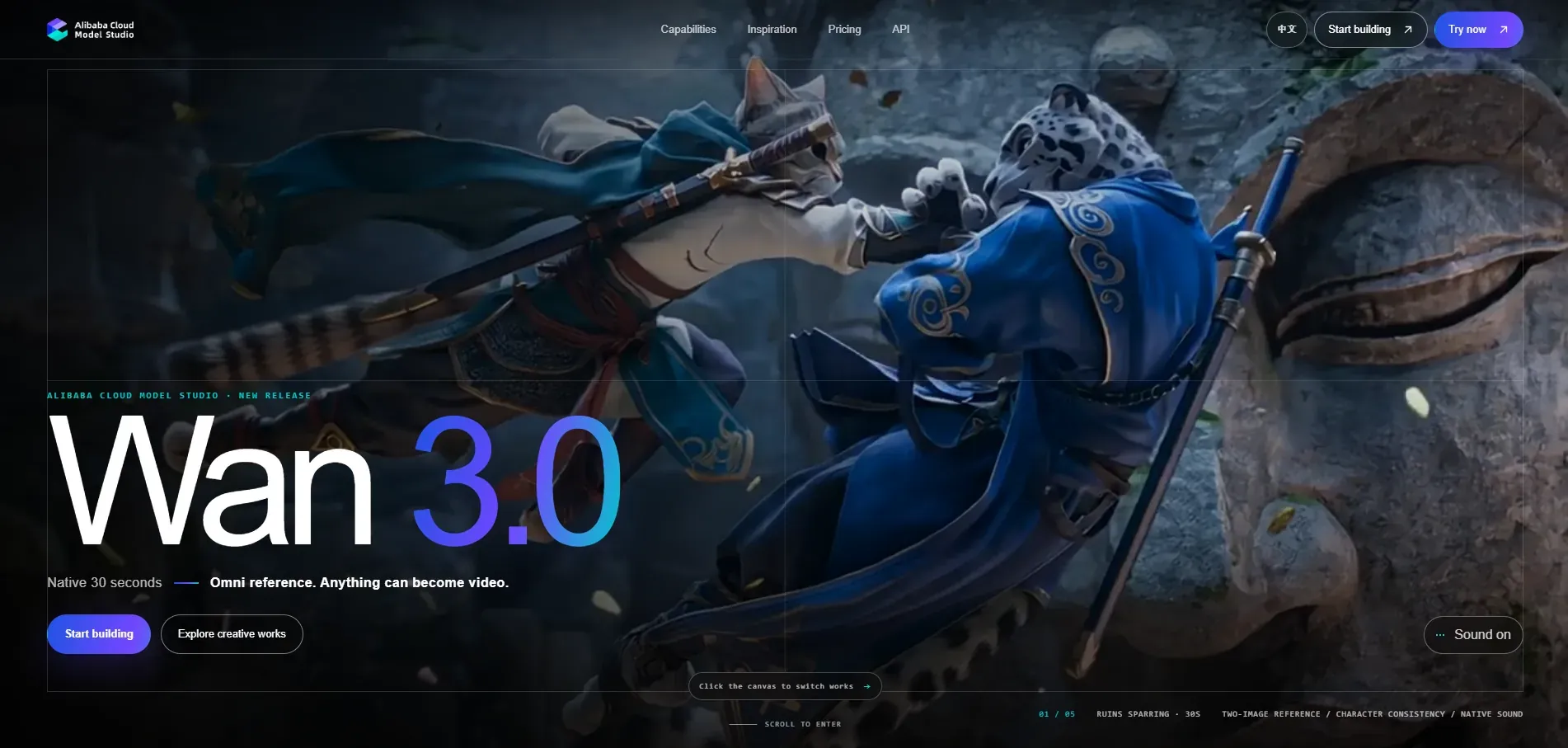
Wan 3.0 combines longer output, broad input support and relatively transparent pricing. It can generate up to 30 seconds from text, images, audio, video and supported documents. Beyond basic prompt to video generation, it can also work with references, edits and several types of source material.
Standard and Prime offer the same main features. Prime generates videos faster from start to finish, but costs more per second. Both support adaptive aspect ratios, smart duration, native audio, first and last frame control, and video generation based on references.
(Wan 3.0)
Wan 2.7 remains relevant because it already supports text-to-video, image-to-video, reference-to-video and video editing. Wan 3.0 is the wider market’s latest family, but a platform may need time to complete integration and testing before adding it.
Wan 3.0 Pros and Cons
- Up to 30 seconds in one generation
- Clear per second pricing that remains competitive
- Works with text, images, audio, video and documents
- Prime reduces waiting time for final renders
- Best results can depend heavily on good reference material
- Audio detail and text shown inside the video can be inconsistent
- 4K video output is not supported
Tiers and Pricing
| Tier/service | 480p | 720p | 1080p | 4K |
|---|---|---|---|---|
| Wan 3.0 Standard | $0.05/sec | $0.10/sec | $0.20/sec | Not Available Now |
| Wan 3.0 Prime | About $0.068/sec | About $0.14/sec | About $0.28/sec | Not Available Now |
Best Video Types and Use Cases
- Longer social and marketing videos
- Product videos built from static images
- Transitions guided by a starting image and an ending image
- Projects that use references to control motion or restyle footage
- High volume content production where cost per second matters
- Teams that need video generation and editing in the same workflow
Vidu Q3 Pro: Best for Dialogue, Anime and Short Series
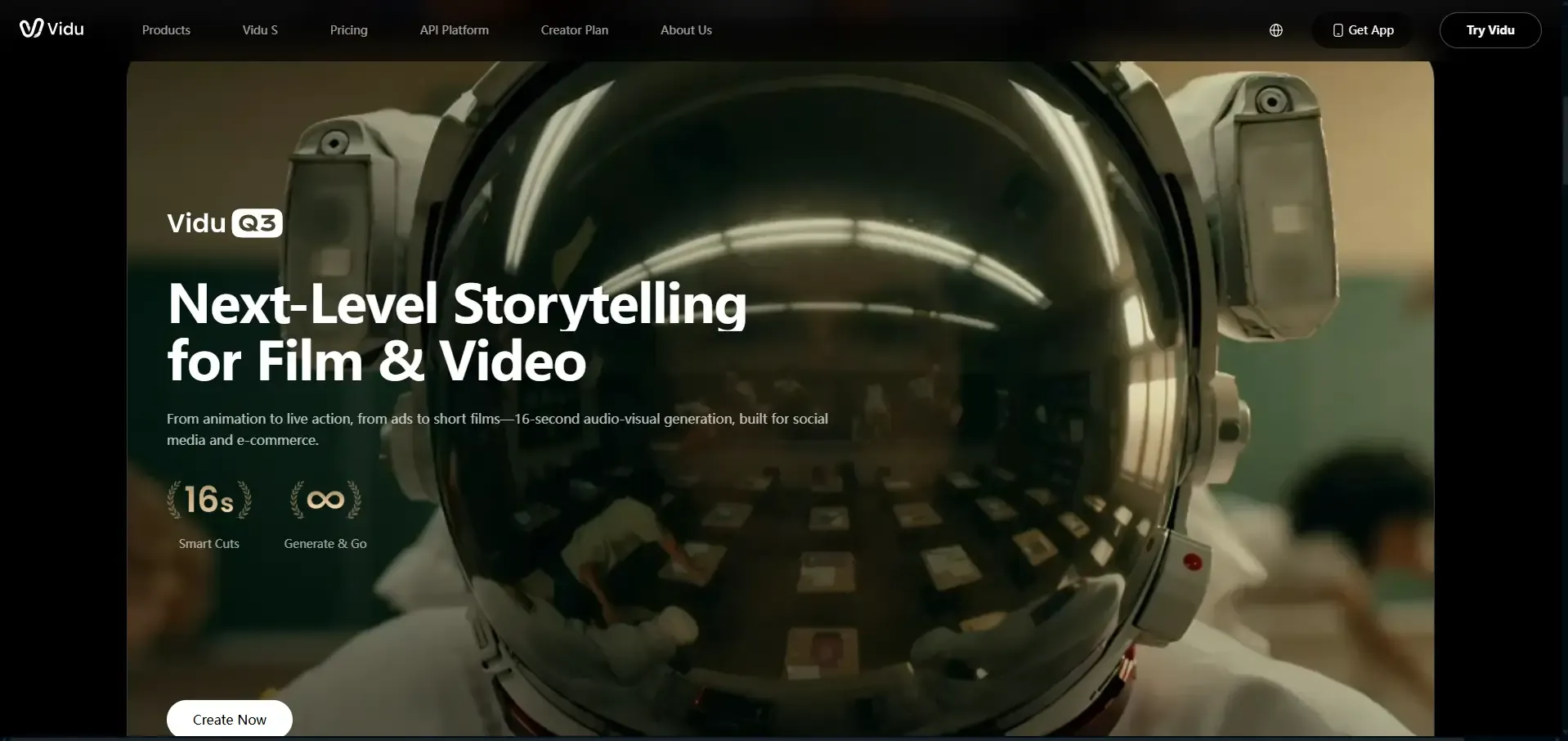
Vidu Q3 works best for short, story based videos. It can create visuals, dialogue, voiceover, sound effects and music in the same clip, with a maximum length of 16 seconds. Camera and timing controls help creators decide when actions, dialogue and scene changes happen.
It supports English, Chinese and Japanese. Vidu Q3 is a more specialized option than Veo, with a focus on comic and manga dramas, short series, cinematic character scenes and narrative ads. It also works well when a scene includes several speakers.
(Vidu Q3)
The Q3 family includes Pro, Turbo, Mix, Drama and Ad variants. Pro prioritizes overall output quality, expression and cinematic storytelling. Turbo reduces the cost of iteration. Specialized variants focus on references, comic drama or short advertising.
Vidu Q3 Pro Pros and Cons
- Up to 30 seconds in one generation
- Competitive and transparent per-second pricing
- Broad multimodal input and edits
- Prime tier improves production speed
- Best results can depend heavily on good reference material
- Audio texture and on-screen text still have room to improve
- 4K video output is not supported
Tiers and Pricing
| Tier/service | 540p | 720p | 1080p | 4K |
|---|---|---|---|---|
| Vidu Q3 Pro | $0.045/sec | $0.10/sec | $0.12/sec | Not Available Now |
| Vidu Q3 Turbo | $0.035/sec | $0.055/sec | $0.065/sec | Not Available Now |
Best Video Types and Use Cases
- Anime, comic and manga inspired videos
- Dialogue scenes with several speakers
- Short dramas and recurring social series
- Narrative ads with character focused stories
- Social videos built around recurring characters
- Quick concept testing with Q3 Turbo
Why Use Multiple AI Video Models on One Platform?
Different shots require different strengths. Realistic environments depend on strong lighting and physics, while product or character scenes need reliable visual consistency. A shared workflow on Visro AI lets creators test the same prompt or reference image across several models and compare the results directly.
New model versions can complement each other and fit into the same process, so creators spend less time switching tools or learning unfamiliar interfaces.
What a Multi-Model Workflow on Visro AI Looks Like
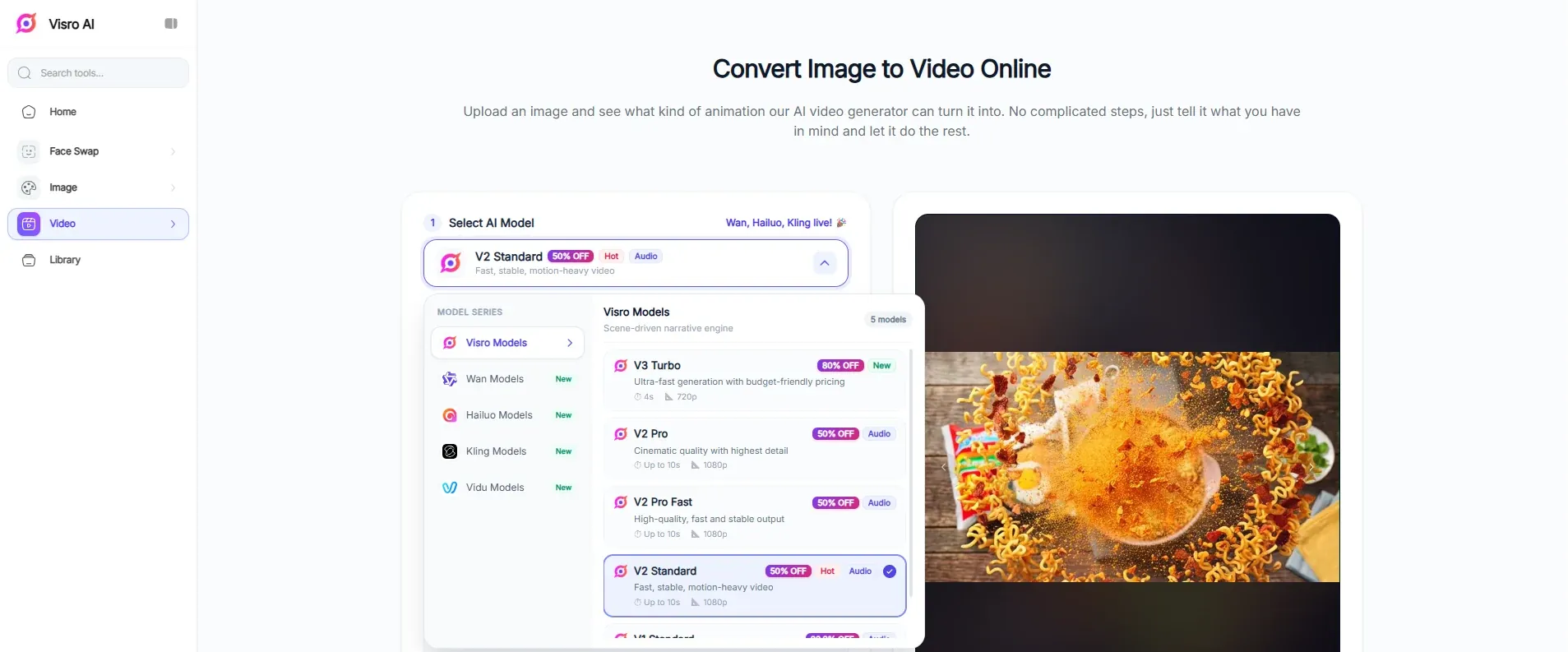
There are five AI video models inside Visro AI. Creators can choose a faster option for drafts or a more advanced model for final shots without changing platforms. Model availability may change as it adds new integrations and updates existing ones.
(Visro AI Video Generation Models)
5 AI Video Generation Models
| Model Family | Available Versions | Best Suited For |
|---|---|---|
| Visro AI Models | V3 Turbo, V2 Pro, V2 Pro Fast, V2 Standard, V1 Standard | Fast drafts, cinematic visuals and everyday video projects |
| Wan | 2.2 Fast, 2.5, 2.6, 2.7 | Product animation and realistic motion |
| Kling | 2.1, 2.5 Turbo, 2.6, 3.0 | Camera control, character scenes and polished final shots |
| Hailuo | 01, 02, 2.3 Fast, 2.3 | Quick concepts, expressive movement and social content |
| Vidu | Q3 Turbo, Q3 Pro | Dialogue, anime videos and short narrative scenes |
A Practical Workflow for AI Video Generation
Here is a simple way to use several models in the same project:
- Start with a draft. Try Visro V3 Turbo, Hailuo 2.3 Fast or Vidu Q3 Turbo to test the scene, composition and general direction before spending more credits.
- Compare a few stronger options. Run the same prompt or reference image through Wan 2.7, Kling 3.0 and Vidu Q3 Pro. Pay attention to character consistency, camera movement and how closely each result follows the prompt.
- Use an existing image when it helps. Visro AI’s image to video tool can start from a product photo, character portrait or keyframe. That gives the model a clear visual reference and helps keep the subject consistent across shots.
- Match the final model to the shot. Kling 3.0 works well for controlled camera moves and character scenes. Wan 2.7 is a good fit for realistic motion and product visuals. Vidu Q3 Pro is worth trying for dialogue, anime and short stories.
- Edit footage you already have. Visro AI video face swap and other video effects can personalize an existing clip without recreating the whole scene. Only use footage and faces that you own or have permission to edit.
Keep Fast and Turbo models for early tests and variations. Save higher quality models for the clips you plan to publish, so more credits go toward the final result.
Final Verdict
Organized by use case:
- Best for cinematic quality and native audio: Google Veo 3.1.
- Best for longer stories with multiple references: Seedance 2.5.
- Best for controlled camera work and consistent characters: Kling Video 3.0 Pro.
- Best for affordable product videos and realistic motion: Wan 3.0 or Wan 3.0 Prime.
- Best for dialogue, anime and episodic shorts: Vidu Q3 Pro.
- Best for native 4K output: Google Veo 3.1.
- Best for low-cost drafts and variations: Vidu Q3 Turbo, Hailuo 2.3 Fast or Visro V3 Turbo.
Frequently Asked Questions
Which AI Video Model Is Cheapest per Second?
Among the premium versions compared here, Vidu Q3 Turbo and the lower-resolution Wan tiers are among the least expensive. Veo 3.1 Lite is also competitively priced at 720p.
Which Model Is Best for Text-to-Video?
Seedance 2.5 is a strong choice for longer stories with several shots, while Veo 3.1 excels at short cinematic prompts and Wan 3.0 offers a good balance of length and price. For dialogue or animated content, Vidu Q3 Pro may fit the task better than a general realism model.
Which Model Is Best for Image-to-Video?
Kling is useful for preserving characters and directing shots, Wan offers flexible reference and transition controls, and Vidu works well for character animation and short narrative scenes. Testing the same image across models is more reliable than choosing from specifications alone.
What Changed Between Seedance 2.0 and Seedance 2.5?
Seedance 2.5 increases the maximum length from 15 seconds to 30 seconds. It also supports extensions, accepts more image, video and audio references, and gives creators more control when editing a clip.
Which AI Video Models Generate Native Audio?
All five model families in this guide offer native audio in at least one current tier. Language support, dialogue control, lip sync and pricing vary between services. Check the selected tier before generating, since silent and audio enabled versions can cost different amounts.
Which AI Video Model Is Best for Anime and AI Short Dramas?
Vidu Q3 Pro is a specialist for anime and short dramas because it supports dialogue, audio, camera timing and clips of up to 16 seconds.
Can AI Videos Be Used Commercially?
Review the current terms before publishing. You must also have permission to use uploaded images, voices, faces, logos and copyrighted characters; paying for a generation service does not grant rights to third-party material.