
Free AI Mimic Motion & AI Motion Transfer Online
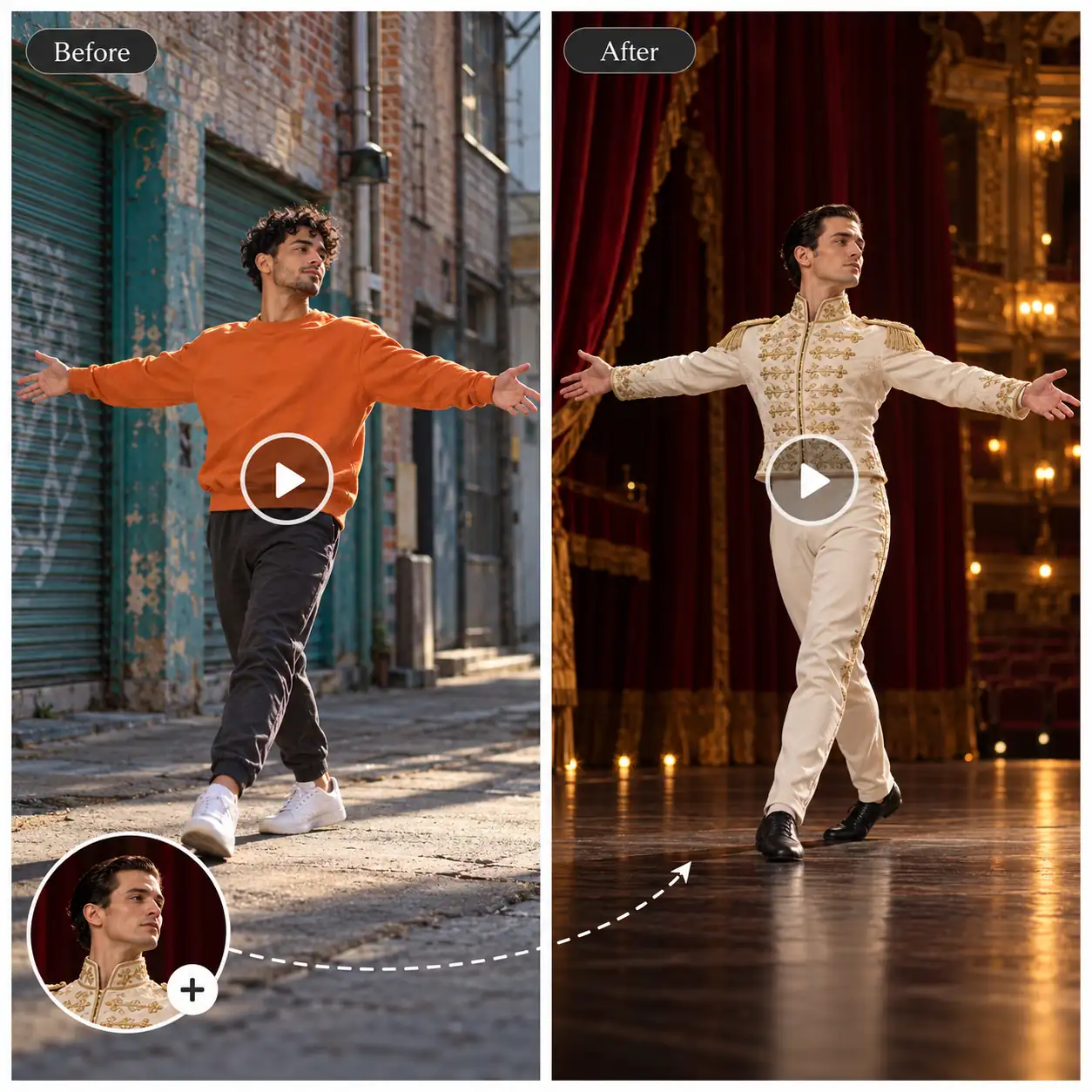
Use AI Mimic Motion to animate your image’s character and setting, or switch to Motion Transfer to replace the character while keeping the video’s original background.
No history yet
AI Mimic Motion – Animate Your Character with Reference Video Movements
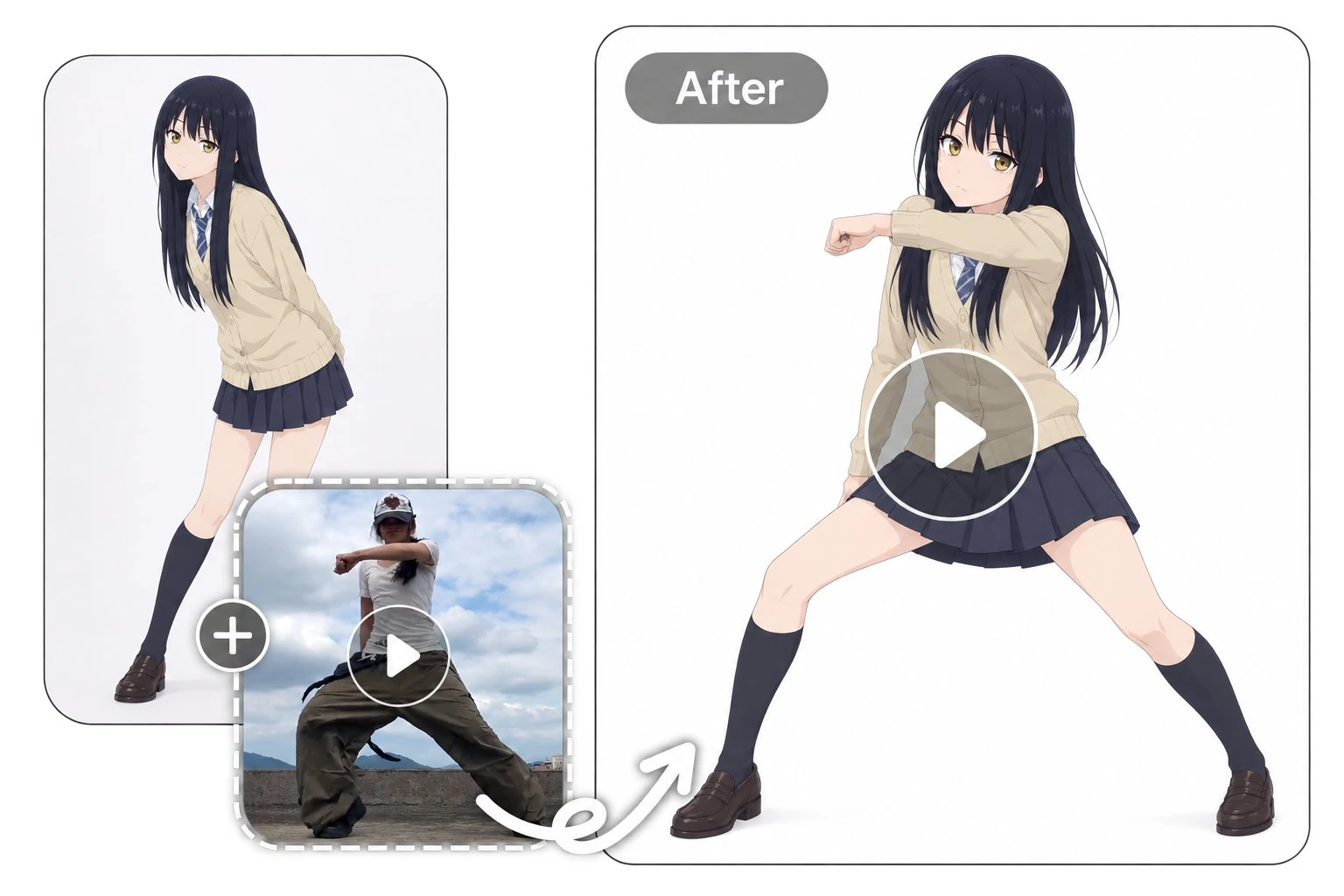
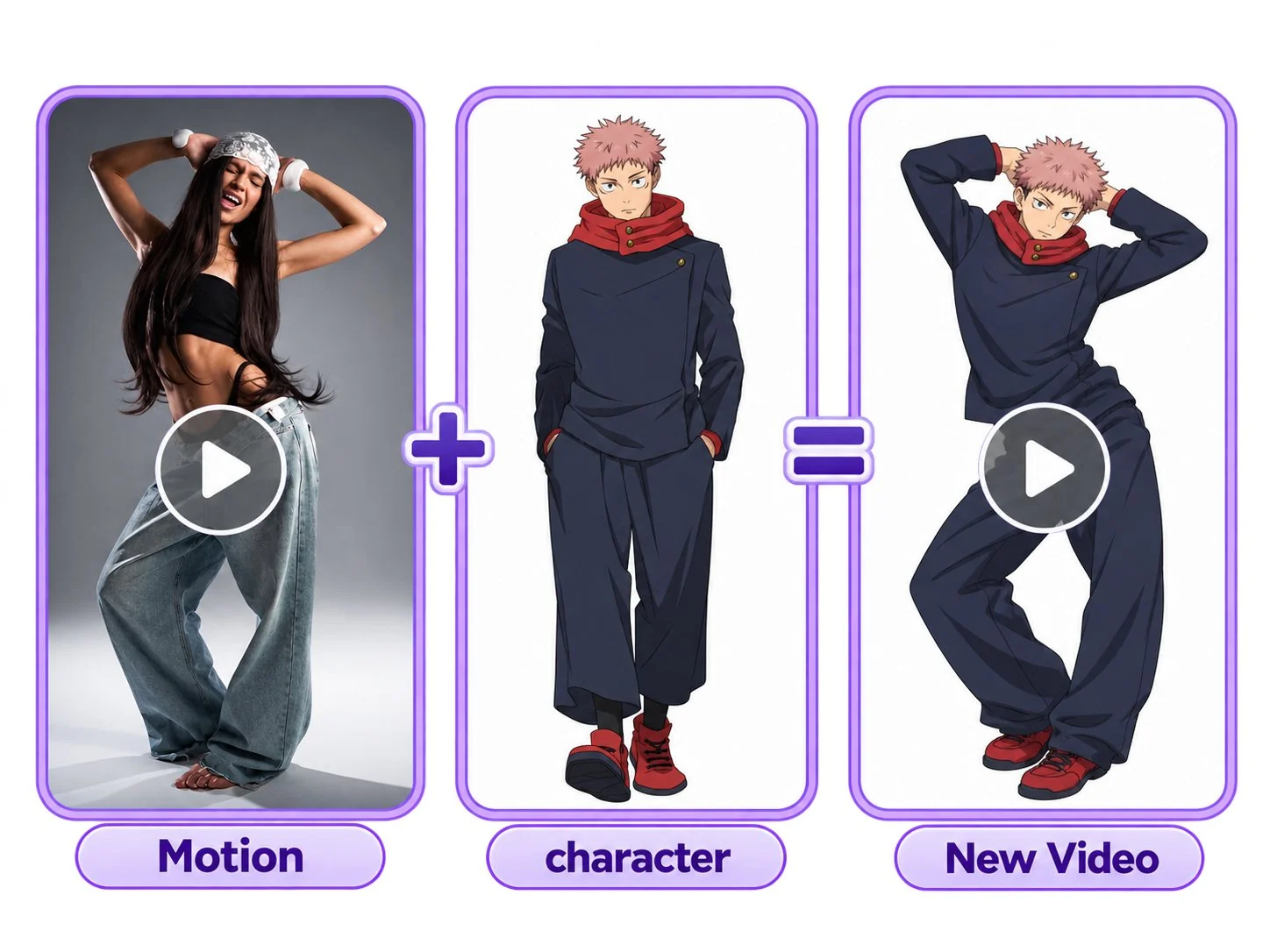
Give a still image a new performance with AI mimic motion. Transfer moves, gestures, and everyday actions from a reference video to your character. Free to start.
Why Choose Our AI Mimic Motion Video Generator?
Free to Try
Try AI mimic motion for free and explore how reference movements translate to your character before developing your next video idea.
More Motion Templates
Start with a motion template instead of filming a reference yourself. Pair it with your image to explore different performances with less preparation.
High-Quality Video Output
Create character animations with clear visual details and well-defined movement. Showcase your character's appearance and performance in videos ready to download and share.
Consistent Character Appearance
Keep your character recognizable as it moves. AI mimic motion helps preserve facial features, clothing, and visual style throughout the animation.
Prepare a Reference Video
Choose a video that clearly shows the action you want to use. A reference with one visible subject makes the intended performance easier to identify.
Choose the Character Image
Upload a photo or select a sample character. For full-body movement, choose an image with visible arms and legs and enough space around the subject.
Generate Your Video
Preview the result, review the movement and character details, and download the version you want to keep.
AI Mimic Motion or Motion Transfer: Which Should You Choose?
Both modes use a reference video to guide movement. The difference is which setting you want in the result.
AI Mimic Motion — Animate the Character and Setting in Your Image
Choose AI Mimic Motion when you want to use the character and background from your image. The reference video supplies the movement for a new animation built around that scene.
Try AI Mimic Motion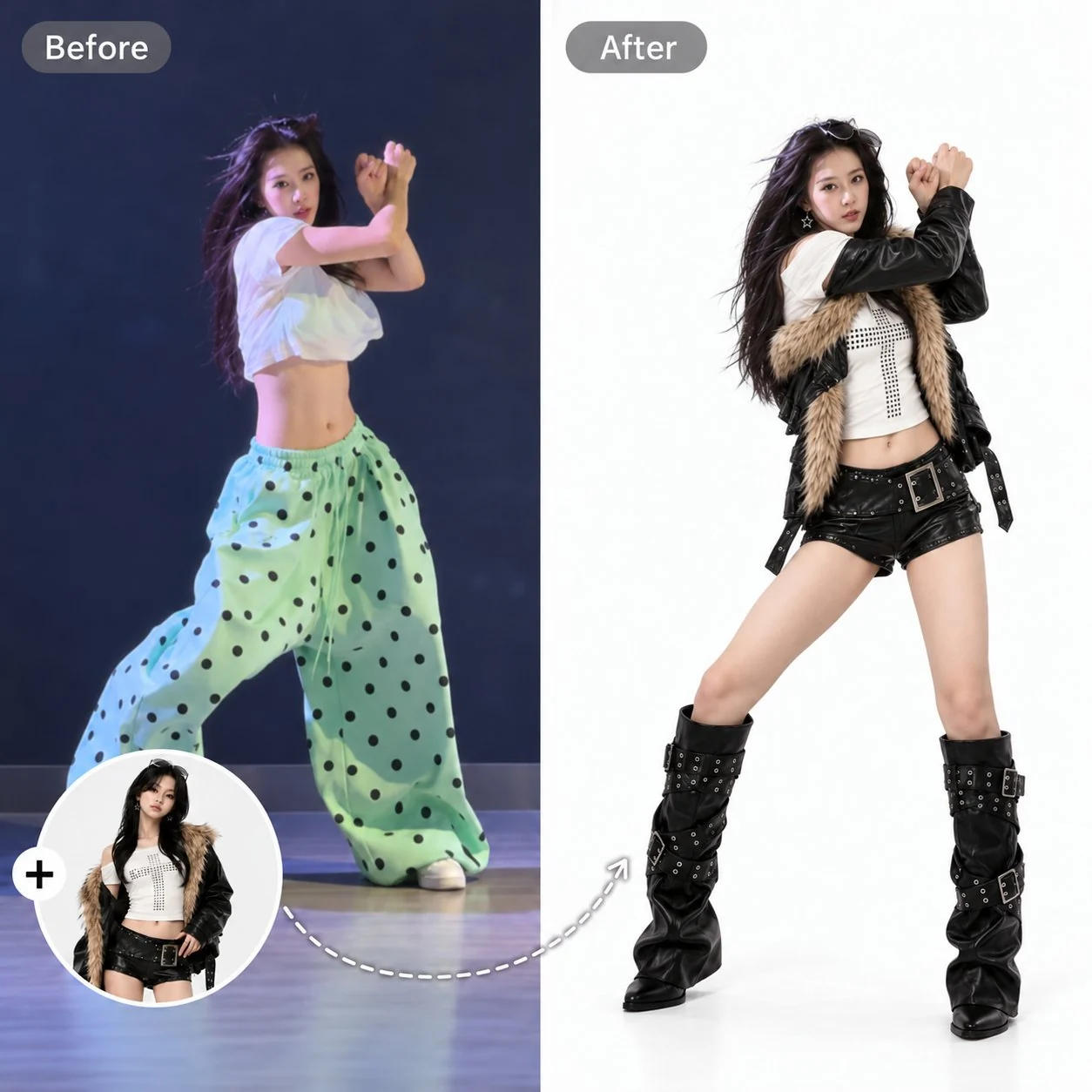
AI Motion Transfer — Keep the Reference Video’s Background
Switch to AI Motion Transfer when you want to replace the performer within the existing video scene. Your image supplies the new character, while the reference video provides the movement and original background.
Try AI Motion Transfer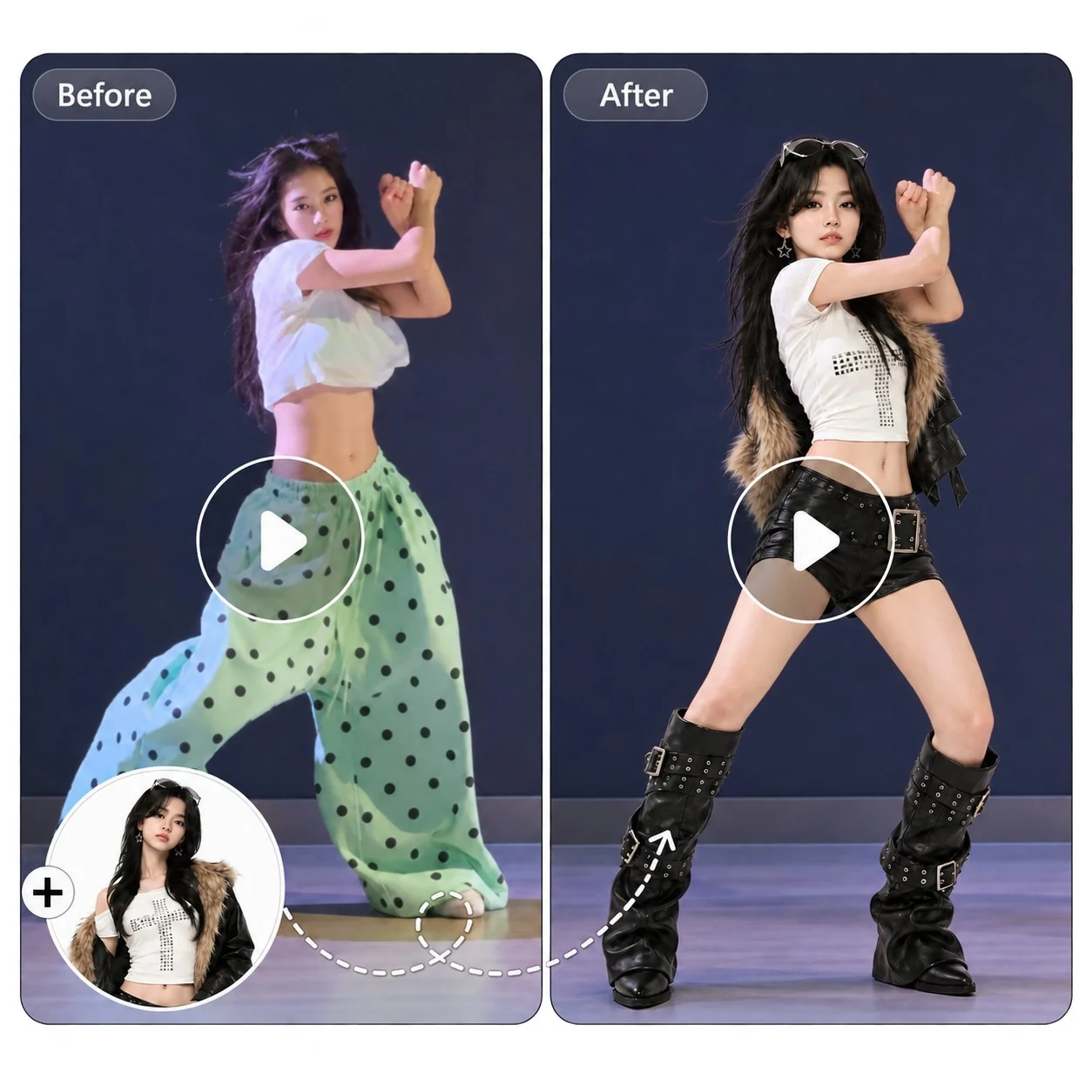
What Can You Create with AI Mimic Motion?
Explore ways to turn reference movements into character videos, from playful personal clips to social content and animation concepts.
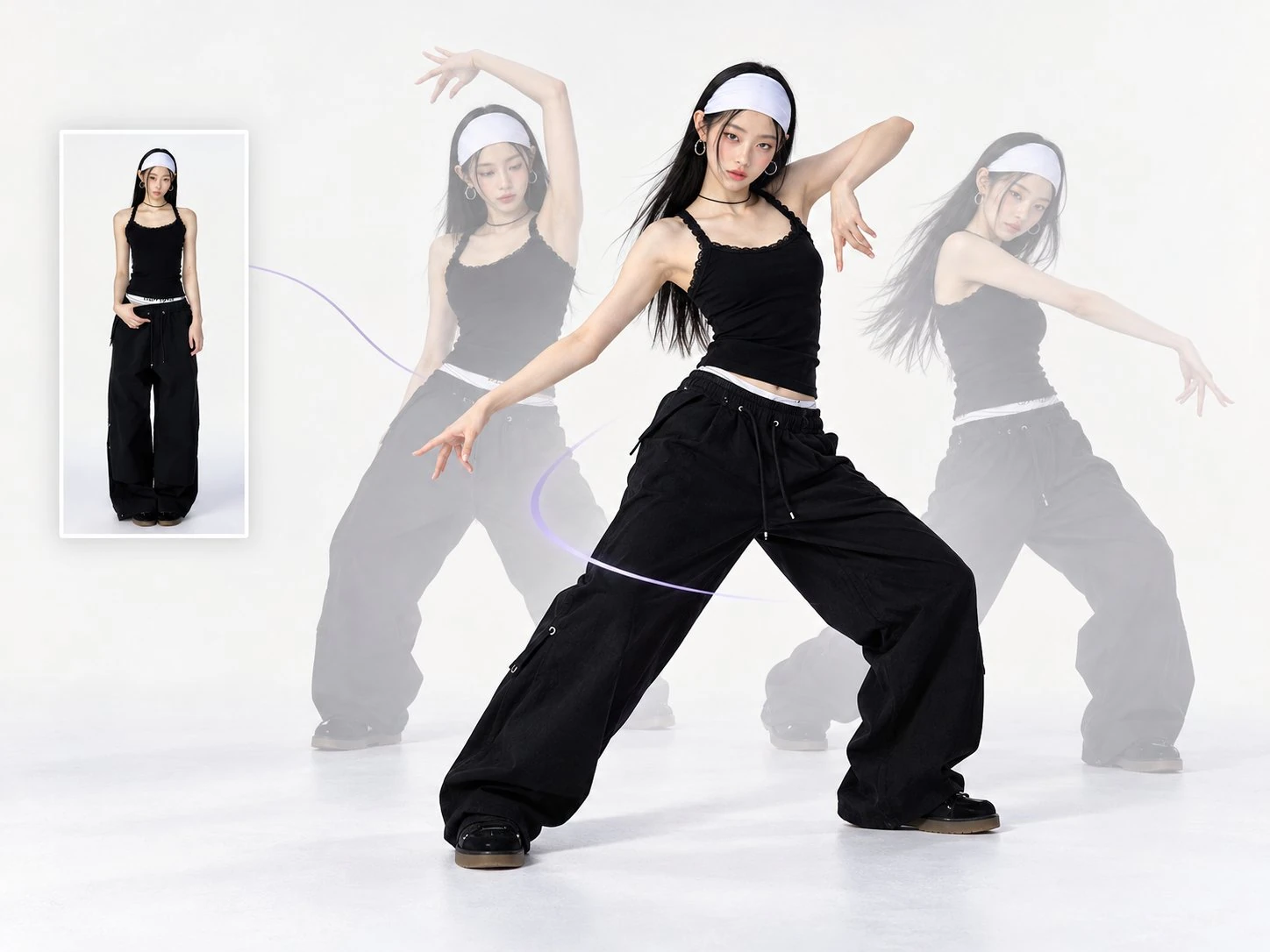
Use our motion control tool to recreate a dance performance with your character image. Explore trending routines or try the same choreography with different characters to create your own versions.
CREATOR EXPERIENCES
What Creators Say About AI Mimic Motion
Discover how creators use reference movements to explore character performances, develop video ideas, and bring a new dimension to their images.
Mia Reynolds
Small Business Owner
“I tried a short waving animation for our shop’s mascot. I only needed a simple greeting for a social post, so starting with a template made the process easier.”

Alex Mitchell
Fashion Blogger
“I used a walking reference with an outfit photo to try out a video concept. I still checked the clothing details closely, but it helped me picture how the post could look.”
Daniel Foster
Anime Fan
“I tried animating one of my character drawings with a dance reference. Some poses worked better than others, but seeing the character move gave me ideas for another drawing.”
Emma Collins
Content Creator
“I tried the same dance reference with a few character images. Seeing how each character changed the feel of the performance was the most enjoyable part.”
Chloe Morgan
Illustrator
“I usually picture how a character might move while drawing. AI mimic motion gave me a way to explore those ideas using a performance as a reference.”
Mia Reynolds
Small Business Owner
“I tried a short waving animation for our shop’s mascot. I only needed a simple greeting for a social post, so starting with a template made the process easier.”
Alex Mitchell
Fashion Blogger
“I used a walking reference with an outfit photo to try out a video concept. I still checked the clothing details closely, but it helped me picture how the post could look.”
Daniel Foster
Anime Fan
“I tried animating one of my character drawings with a dance reference. Some poses worked better than others, but seeing the character move gave me ideas for another drawing.”
Emma Collins
Content Creator
“I tried the same dance reference with a few character images. Seeing how each character changed the feel of the performance was the most enjoyable part.”
Chloe Morgan
Illustrator
“I usually picture how a character might move while drawing. AI mimic motion gave me a way to explore those ideas using a performance as a reference.”
Mia Reynolds
Small Business Owner
“I tried a short waving animation for our shop’s mascot. I only needed a simple greeting for a social post, so starting with a template made the process easier.”
AI Mimic Motion FAQs
Find clear answers to common questions about AI mimic motion and get helpful guidance for creating your next character video.
What is AI mimic motion?
AI mimic motion animates a character image using movement from a reference video. The image provides the character and setting, while the video guides the action in the generated animation.
Do I need to record the reference video myself?
You can record your own performance or use a reference video you have permission to upload. We also provide some dance templates for users.
Can I use AI mimic motion for actions other than dancing?
Yes. You can explore gestures, greetings, turns, and other short performances alongside dance sequences. Results depend on the reference action, character image, and complexity of the movement.
What is the difference between mimic motion and motion transfer?
Mimic motion uses the character and setting from your image to create a new animation. Motion transfer replaces the character in the reference video while keeping that video’s original background. You can switch between them in the tool.
What kind of image should I upload?
Choose a clear image with one visible subject. For full-body actions, include the character’s arms and legs. Avoid heavy obstruction and tight cropping, and consider whether the setting leaves enough room for the movement.
How can I protect my privacy when using AI mimic motion?
Only upload images and videos you have permission to use, and avoid files containing sensitive personal information. Before uploading, review our Privacy Policy for details about how your content is processed, stored, and deleted.